Paste plain text
ASCII or Unicode, from a README, a code comment or a chat with an AI.
+--------+     +-------+
|  api   |---->|  db   |
+--------+     +-------+
Runs in your browser · nothing is uploaded
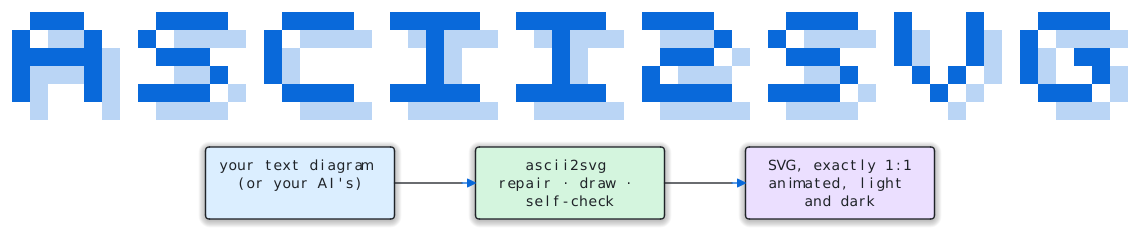
Paste the box diagram you (or your AI) already wrote. ascii2svg turns it into a crisp, animated SVG, and proves every character is exactly where you put it.
Playground
Pick an example or paste your own. Everything renders as you type, with Python running right here in your browser tab.
Boxes: +--+ / | | / +--+ or ┌─┐ │ │ └─┘. Arrows end in v ^ < > or
▼ ▲ ▶ ◀, touching (or one space from) the box they point at. Warnings say exactly what to move; click one to jump there.
Runs ascii2svg with Pyodide.
How it works
ascii2svg never invents a shape. When it isn't sure, a character stays text, and every render is checked against your input before you see it.
ASCII or Unicode, from a README, a code comment or a chat with an AI.
+--------+ +-------+ | api |---->| db | +--------+ +-------+
Warnings say exactly what to move. Fix alignment lines up what a model got one column wrong.
line 2, col 12: the line '│' is one
column right; move one of them
✓ Fixed 5 misalignments
Light and dark, animated or still. The SVG is read back and compared cell by cell.
ok Rendered 2 boxes and 1 arrow
(3x24); 1:1 self-check exact
Why ascii2svg
Every character lands in its exact cell, verified by reading the SVG back.
Walls, connectors and arrowheads one column off move into line. Your words never change.
Lines draw themselves, pulses follow the arrows, and the theme follows your reader.
Flowcharts, sequence and state diagrams, C4, UML, ER crow's feet, Gantt and bar charts.
One JSON report for every outcome, an MCP server, and a Claude skill.
One Python file. The same file runs this page through WebAssembly.